
Built for owner-led studios
A studio that's easier to book. And easier to run.
Mojo is booking software for classes and appointments. Clients book from one mobile link while you manage your schedule, waitlists, and attendance in one place.
Free for 15 days with no credit card required, then €10/month.
Live owner reporting
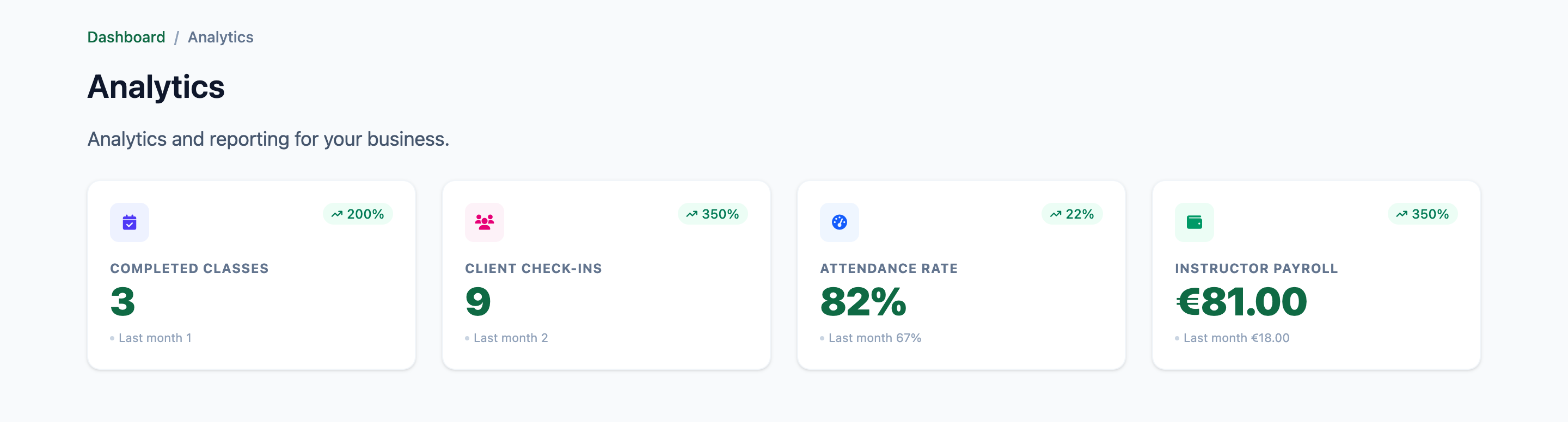
The numbers behind your schedule stay close at hand
Completed classes, client check-ins, attendance rate, and instructor payroll are available in the owner workspace.
A Pilates owner's view
"We switched from EasyWeek after dealing with extra modules we did not need. Mojo fits the way our studio runs."
- ✓ No app download for clients
- ✓ Unlimited instructors included
See how Mojo works for your studio
Choose the workflow closest to yours.
- 01 Pilates booking software Reformer and mat classes, private sessions, memberships, and waitlists. →
- 02 Yoga booking software Recurring classes, workshops, private sessions, and instructor schedules. →
- 03 Barre studio software Weekly classes, intro offers, waitlists, and attendance. →
- 04 Beauty salon booking software Appointments, specialist calendars, client records, and reminders. →
Client journey
Follow one first-time booking
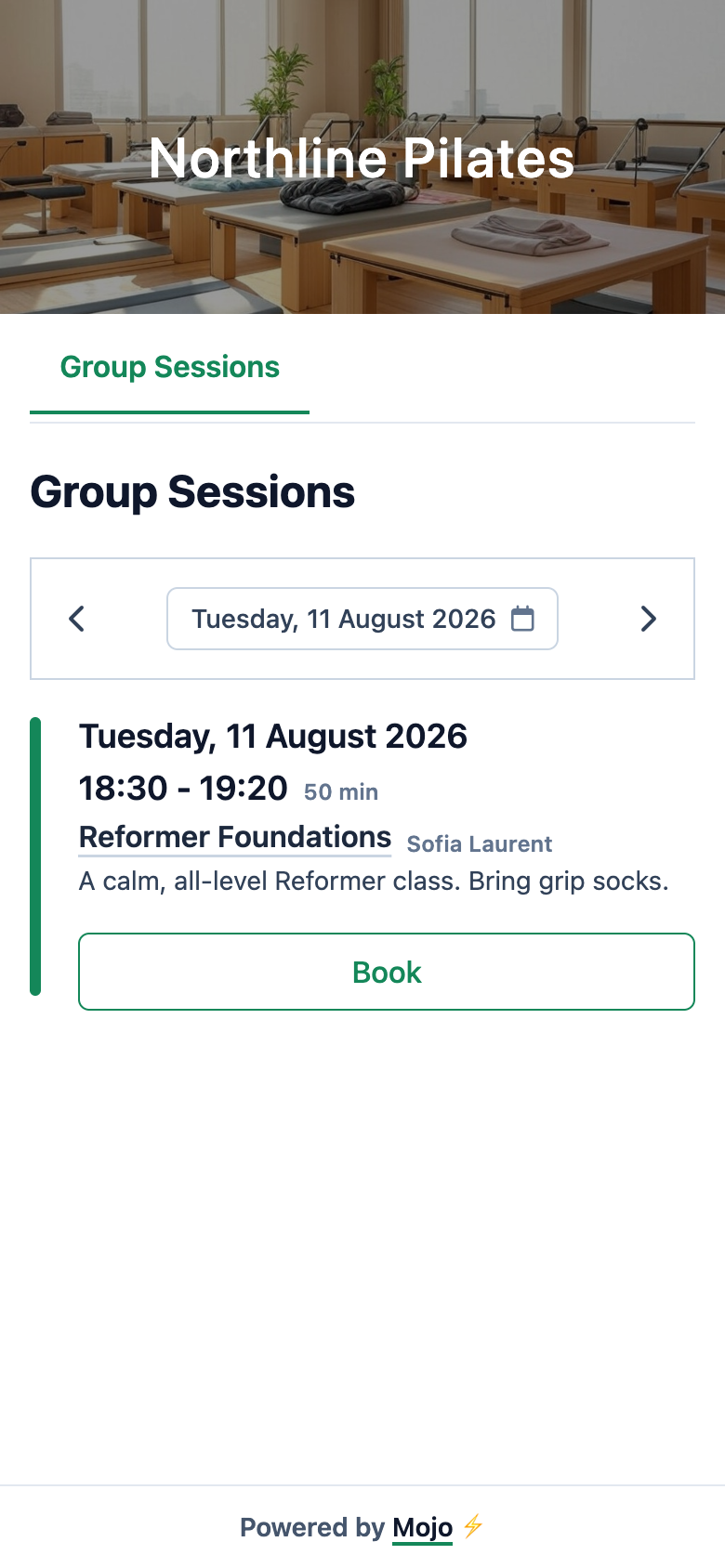
A new client opens your booking link, chooses a Reformer class, verifies their email, completes their profile, and sees the result. The booking appears in your class list.
-
1
Choose a class
See the current schedule, instructor, time, and availability on mobile.
-
2
Verify the first visit
New clients verify their email and complete the studio's required profile fields.
-
3
See the booking status
Mojo confirms the booking, holds it for review, or adds it to the waitlist according to the studio's rules and capacity.
-
4
Reach the class list
The same client and booking record is available to the owner for attendance.
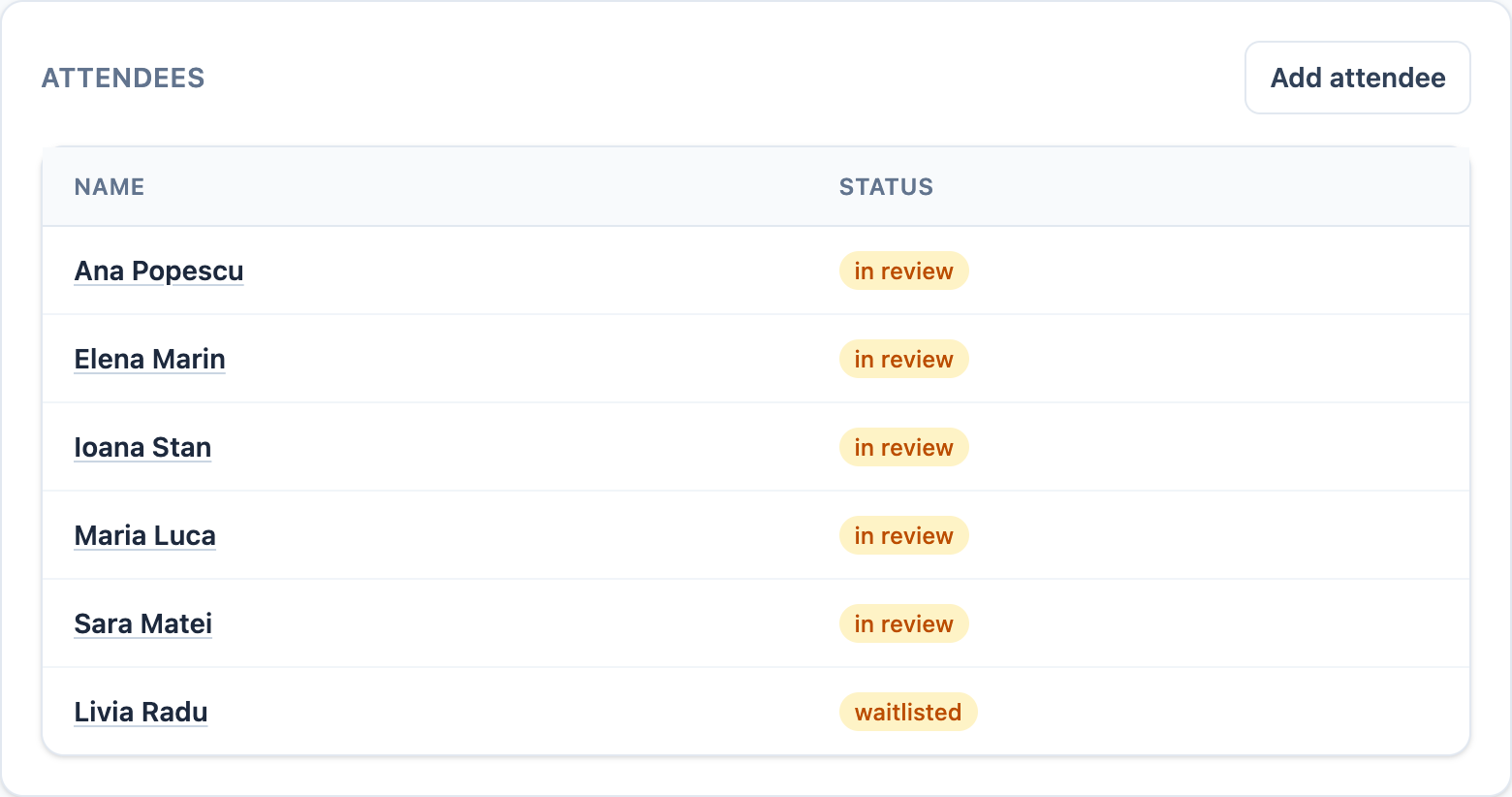
Shown with a first-time client booking a class that does not require a membership.
Owner view
The class stays under control, from schedule to attendance.
The client sees a clear next step. You keep the decisions that matter attached to the class.
See group session management →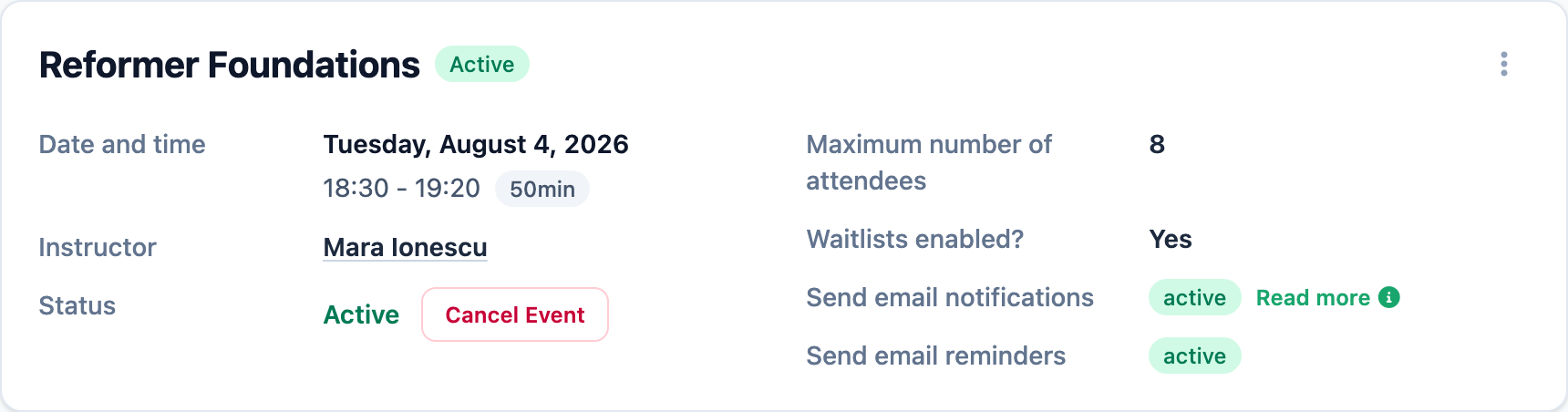
-
01
Shape the schedule
Publish recurring classes, then adjust one date or this and future occurrences.
-
02
Decide who gets a place
See capacity, in-review bookings, and the waitlist, then make the final call.
-
03
Close the loop after class
Mark attendance or a no-show while the history stays tied to the client and membership.
From studio teams
What studio teams notice in daily use.
I manage all my private clients and sessions from my phone. It saves me hours every week.
Our no-show rate dropped dramatically once we set up automatic reminders. It just runs.
Why Mojo
Everything around the booking stays connected.
Mojo brings the client journey and the studio's daily work into one system, so less gets lost between tools and messages.
-
1
Clients book from one mobile link
Share it anywhere you already reach clients. They see availability and reserve without installing an app.
-
2
Routine follow-up keeps moving
Automated reminders, waitlists, memberships, and attendance stay tied to each booking.
-
3
Owners can act on the full picture
See classes, client check-ins, attendance, instructor payroll, and integrated payments without piecing together separate records.
Start with the schedule you already run, then share the booking link when you are ready.
Studio journal
Useful reading for studio owners and instructors.
Guides on coaching, operations, pricing, and growth.


Start with your real schedule
Make your studio the easy one to book.
15 days free. No credit card required. €10/month after trial.